Plan
Bring the show flow, scripts, technical schedule, owners, and decisions into one production plan.
Speakers, timing, AV, and follow-up content are hard to coordinate from separate plans. Fabl connects the show flow to a live rundown, configured device actions, and post-event workflows.
Explore theBring the show flow, scripts, technical schedule, owners, and decisions into one production plan.
Use the live rundown to cue segments, speakers, and configured device actions. Returned status varies by integration.
Carry the production context into clips, recaps, and channel-ready content after the event.
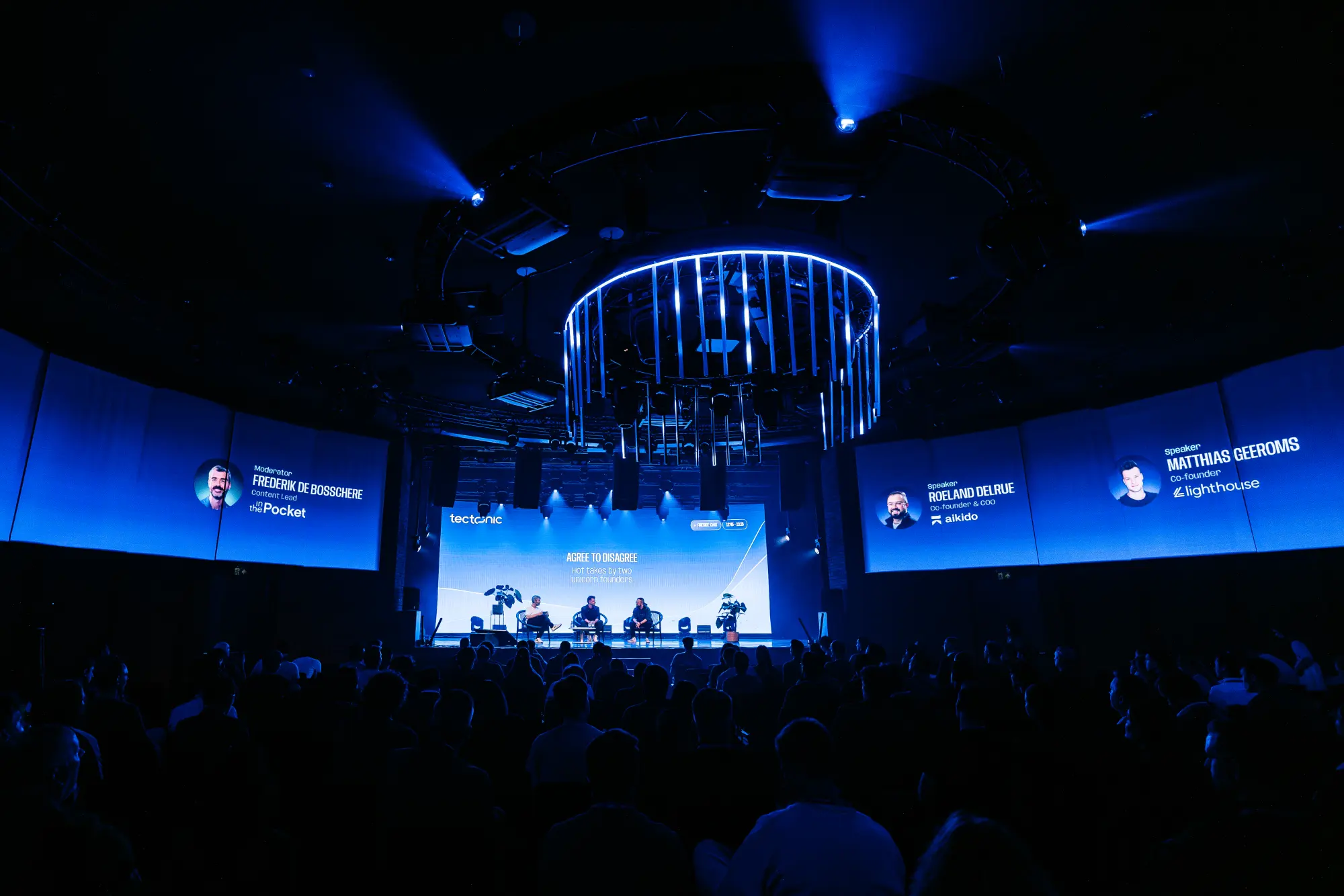
At Tectonic 2026 we ran the Main Stage and the Pitching Stage from four shared Fabl rundowns. Each take cued TouchDesigner for the 310-degree projection and LED wall, vMix, Stagetimer, and PowerPoint through OSCPoint.
Read the case study01Show-flow planning
02Speaker and session scripts
03Live rundowns
04Configured on-site actions
05Device integrations
06Post-event workflows
Bring the show flow, scripts, technical schedule, owners, and decisions into one production plan.
Use the live rundown to cue segments, speakers, and configured device actions. Returned status varies by integration.
Carry the production context into clips, recaps, and channel-ready content after the event.
Explore the workflow yourself, create an account, or show us the production handoff you want to improve.