Two stages, four rundowns, one team:
Fabl at Tectonic 2026 in Ghent
On 21 October 2026, Tectonic brought its startup and tech conference to two buildings in Ghent: Wintercircus and De Vooruit. We ran show automation on two of its stages, the Main Stage and the Pitching Stage, from four Fabl rundowns: one all-day rundown for the Main Stage and one for each pitching session.
The stages had different setups but the same approach: the crew kept their own tools, the rundowns triggered the actions in them, and everyone worked from the same plan.
The event and the challenge
Tectonic is a full day of keynotes, panels and workshops for founders, enterprises and investors, with a €300,000 startup pitching competition alongside, spread across two landmark buildings linked by a bridge. The Main Stage sits in Wintercircus, whose main hall has its own immersive video installation. The Pitching Stage is in the Theaterzaal of De Vooruit.
That gave us two very different rooms to run:
- The Main Stage ran an 8.5-hour show of keynotes, fireside chats and roundtables, with loops between sessions. It had the heaviest setup: a 310-degree projection and the LED wall behind the stage, with content from TouchDesigner, vMix for two camera recordings and presentations, Stagetimer for speaker timing, and OSCPoint for PowerPoint control.
- The Pitching Stage hosted three one-hour pitching sessions, one per competition vertical: AI/SaaS, Hardware/Deeptech and Impact. The setup was lighter: vMix for presentations and Stagetimer for timing.
A conference day is full of small, repeated moves: a speaker walks on, slides go up, the timer starts, the recording runs. Done by hand across several applications all day, they add up, and a missed one is visible to the room.
Each stage in its own space, four rundowns in total
Each stage had its own space in Fabl, both within the same Fabl team.
Main Stage. The Main Stage ran one all-day rundown, "Main Show". It follows the public programme item by item. It opens with an opening loop, then alternates sessions and loops: the opening keynote at 09:30, a fireside chat, a Tectonic loop, a roundtable, another Tectonic loop, and so on through the day.
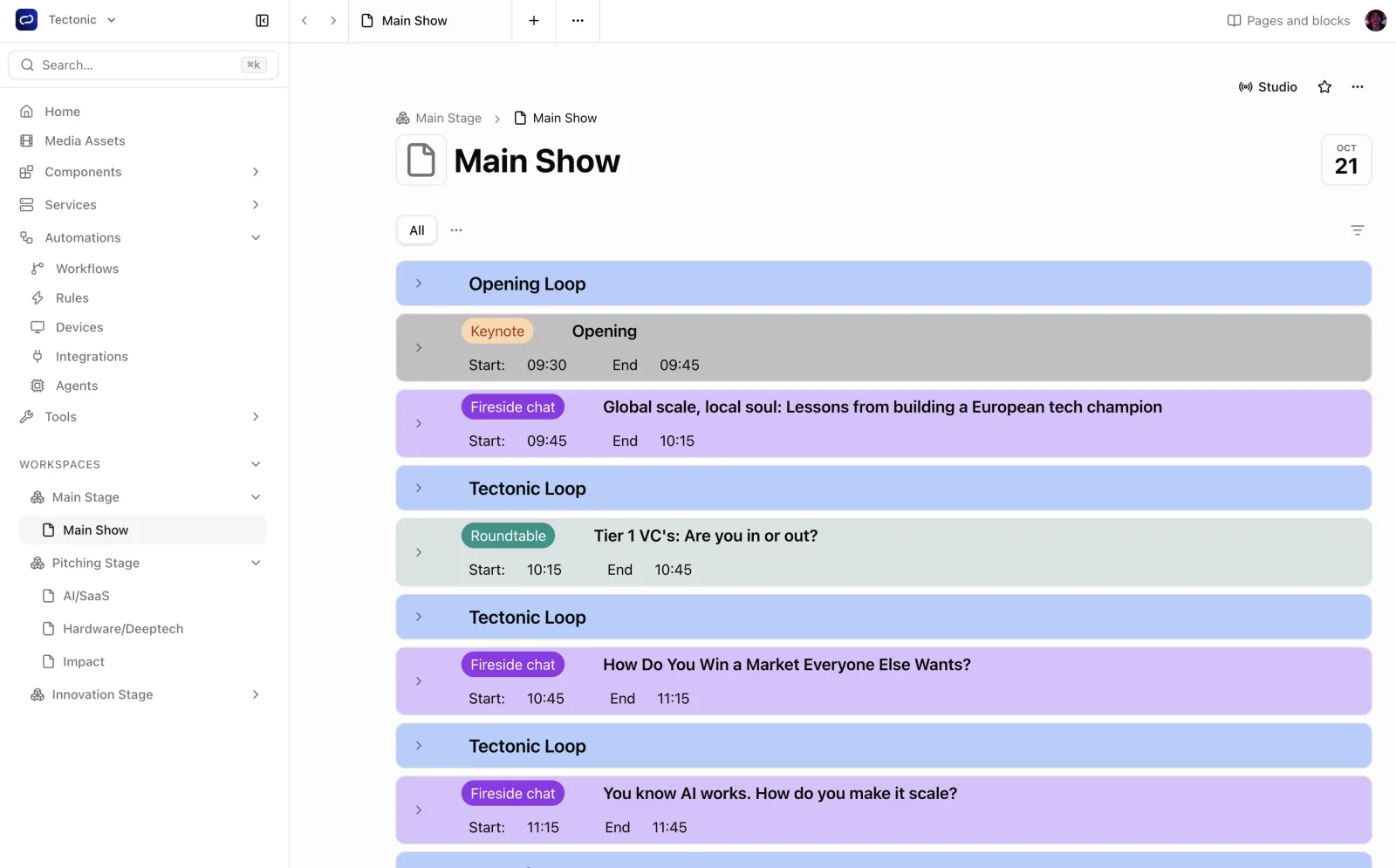 The all-day Main Show rundown, with sessions and loops in programme order.
Pitching Stage. The Pitching Stage had one rundown per session: AI/SaaS, Hardware/Deeptech and Impact. A session opens with a short segment introducing the partner and the jury. After that, it alternates a pitch intro and a pitch for each startup, each item a few minutes long. The pitch items carry what the host and the room need: the host's intro script and the startup's one-slide image as a media asset, inside the rundown item itself.
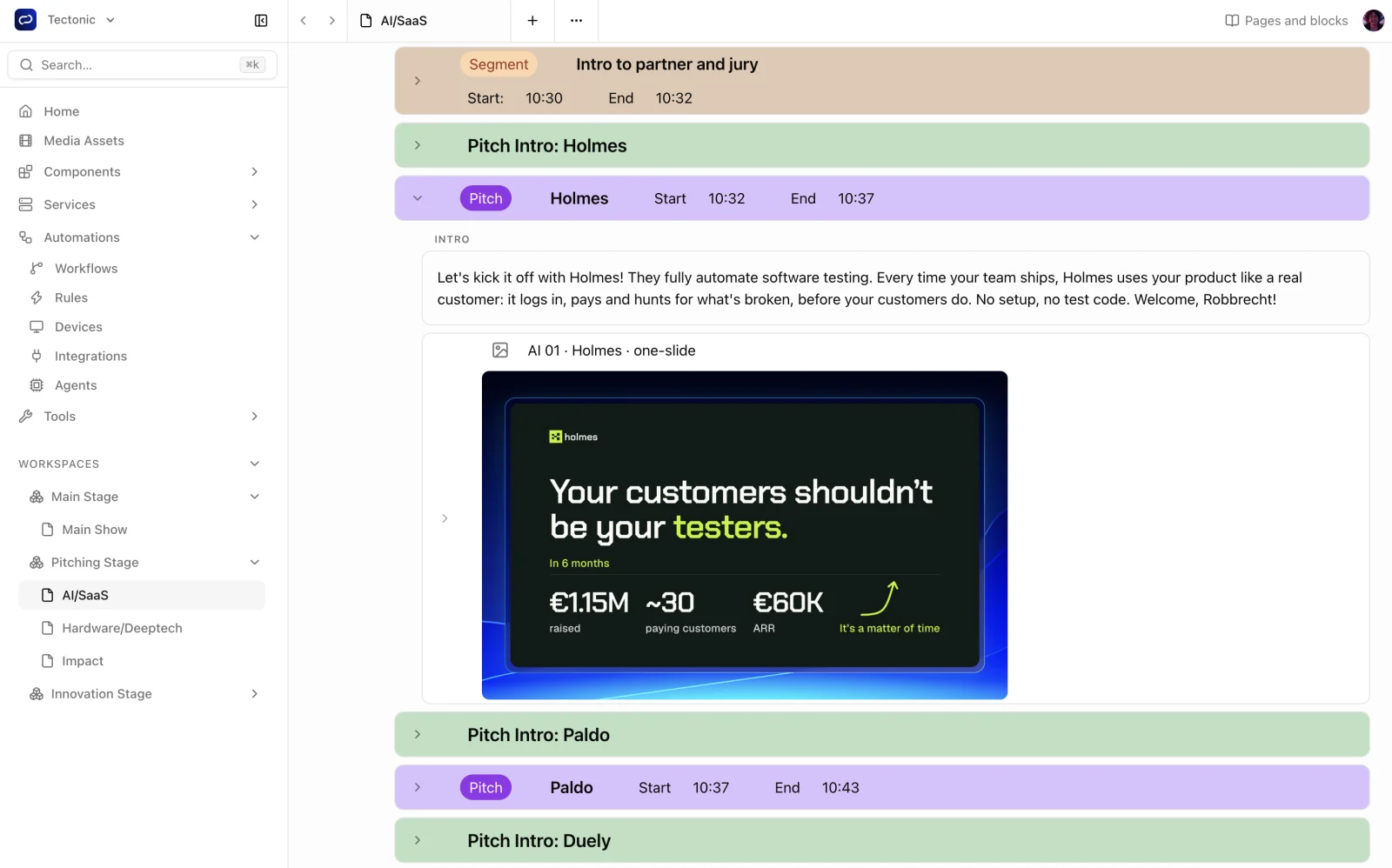 A pitch item in the AI/SaaS rundown, with the host's intro script and the startup's one-slide.
How we set it up, stage by stage
Producers ran the rundowns in Studio Mode, taking items live as the programme moved on. Automation rules listened for rundown events and fired configured actions in the tools on site. Fabl Studio Agent ran on the local production network and sent the commands to each device.
| Stage | Tools in the room | What the rundowns drove |
|---|---|---|
| Main Stage (Wintercircus) | TouchDesigner (310-degree projection and LED wall), vMix, Stagetimer, OSCPoint | TouchDesigner content for the projection and LED wall; vMix for two camera recordings and presentations; Stagetimer; PowerPoint via OSCPoint (Generic OSC) |
| Pitching Stage (De Vooruit) | vMix, Stagetimer | vMix for presentations; Stagetimer |
310-degree projection and LED wall, through TouchDesigner
The most visible part of the Main Stage was the screen setup: a 310-degree projection around the hall and the LED wall behind the stage. TouchDesigner produced the content and sent it to both the projection and the LED wall over NDI, and the rundown triggered TouchDesigner through Fabl.
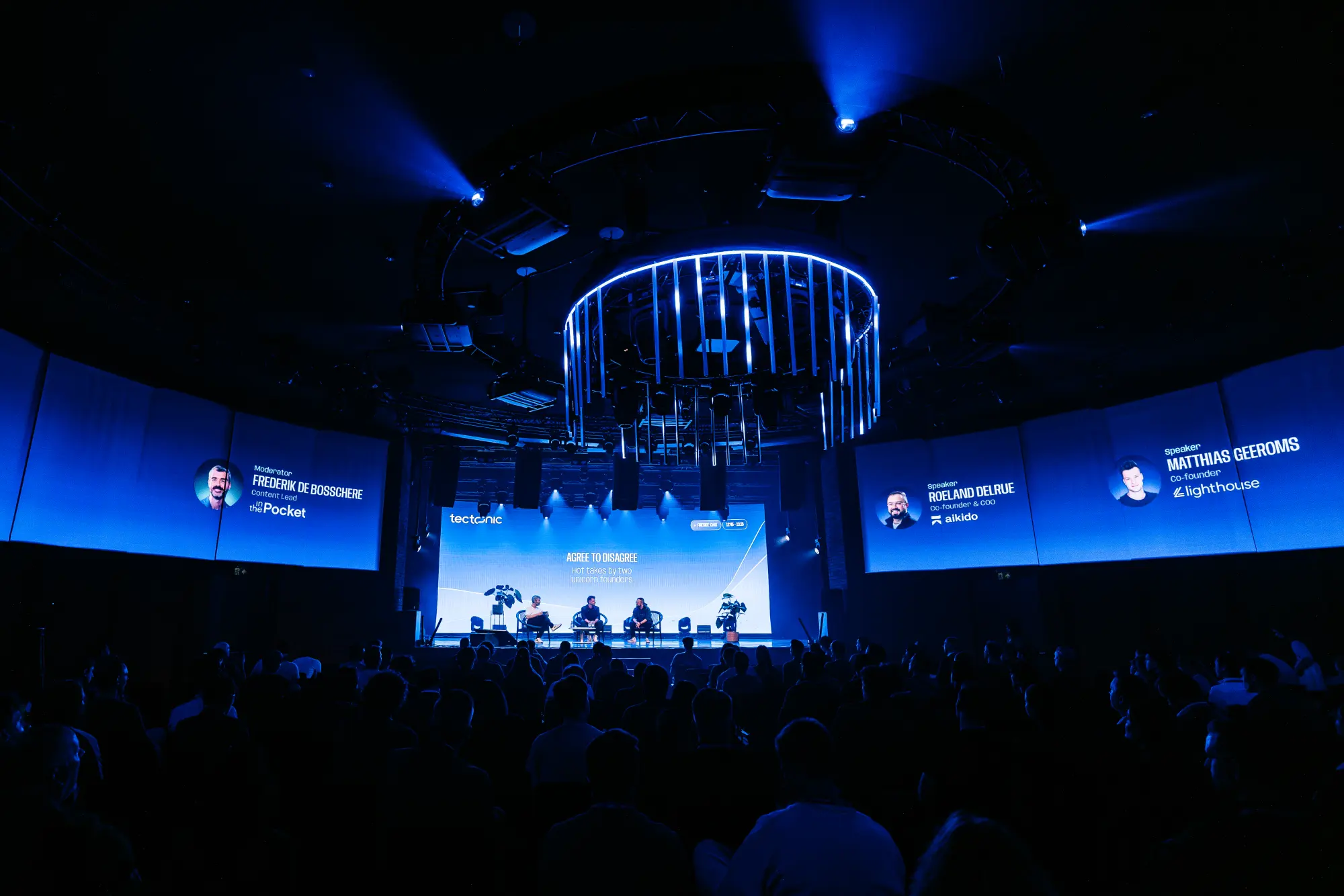 The Main Stage in Wintercircus, with the 310-degree projection around the hall and the LED wall behind the stage.
Fabl's TouchDesigner integration sends text messages to a TouchDesigner project over TCP or UDP, and the project's receiving logic updates what is on screen. So when an item went live, TouchDesigner received its message and the content on the projection and LED wall changed with it.
The content itself came from Fabl too. Speaker images and other visuals were stored in Fabl, and Fabl Studio Agent downloaded them to the TouchDesigner machine on the local network. TouchDesigner worked with local files, and when content changed in Fabl, nobody had to copy files over by hand.
vMix
Fabl controls vMix through its TCP API, from switching inputs and overlays to starting and stopping recordings, and vMix reports its state back. On the Main Stage, vMix handled two camera recordings and the presentations. On the Pitching Stage, it handled the presentations.
The presentations followed the same route. They were stored in Fabl, and Fabl Studio Agent downloaded them to the vMix machines, so each stage had the latest version of every deck on site before it was needed.
Stagetimer
For speaker timing we used our new Stagetimer integration. On both stages, Stagetimer was cued from the rundowns, so the timers followed the same running order as the rest of the room.
OSCPoint
OSCPoint is a PowerPoint add-in for Windows that adds OSC control to PowerPoint. We drove it with Fabl's Generic OSC device, built for tools without a dedicated Fabl device, which sends OSC messages with typed arguments over UDP or TCP.
What the rundowns drove during the show
During the day, the producer's main job on each stage was to take the next item. Each take was a rundown event, and the rules attached to it did the rest. Here is one of the real Main Stage rules, as it ran at Tectonic:
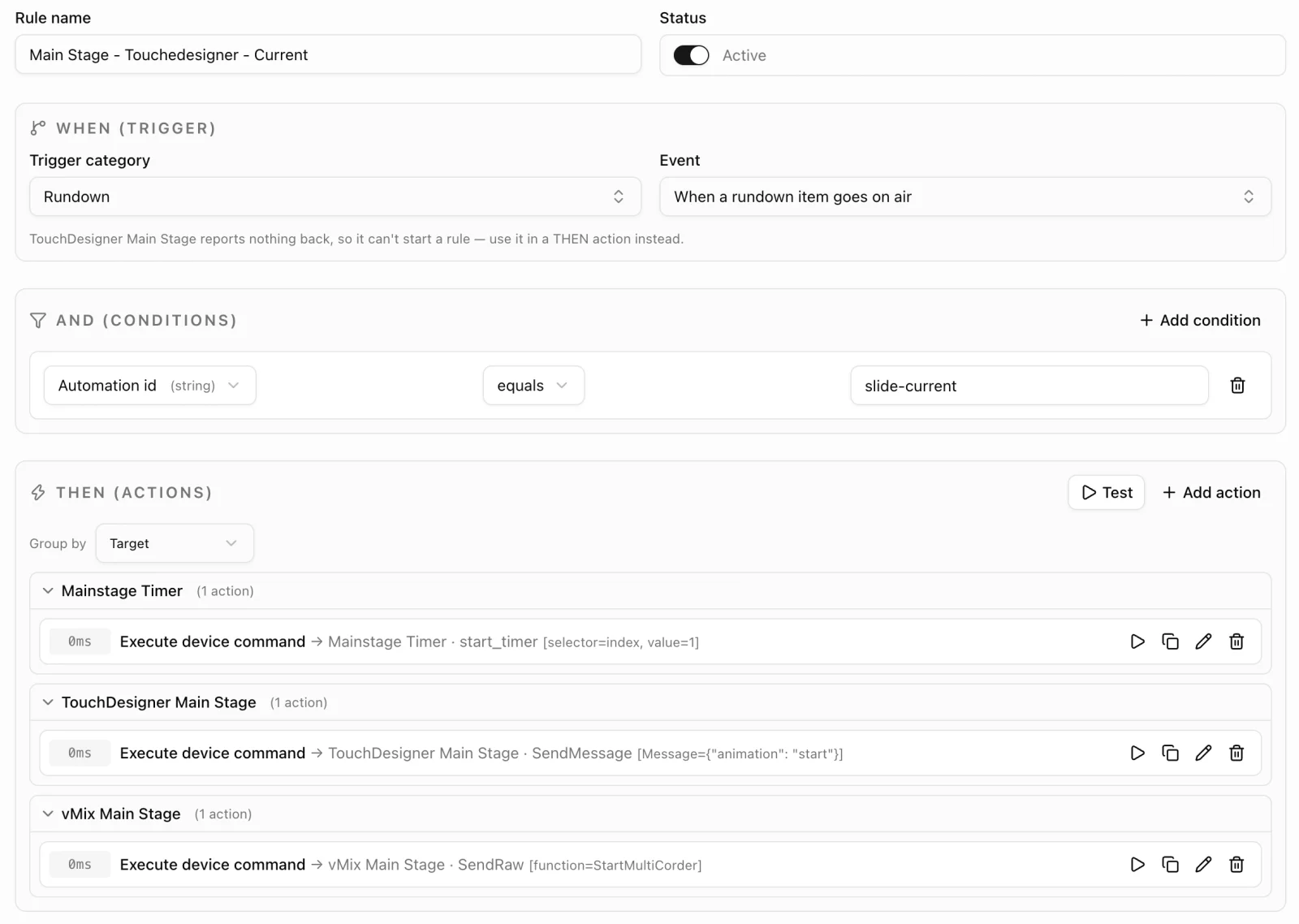 The rule in Fabl's rule editor. In text form:
Rule: Main Stage - TouchDesigner - Current
WHEN  Rundown · a rundown item goes on air
AND   Automation id equals "slide-current"
THEN  Main Stage timer         · start_timer (selector=index, value=1)
      TouchDesigner Main Stage · SendMessage {"animation": "start"}
      vMix Main Stage          · SendRaw StartMultiCorder
In plain terms: when an item tagged slide-current went on air, three things happened at once, with no delay. The speaker's timer started, TouchDesigner started the animation on the projection and LED wall, and vMix started its MultiCorder recording of the cameras.
The Pitching Stage followed the same pattern with fewer tools. Inside each one-hour session, the pitch intro and pitch items set the rhythm, and the slide for the next startup was already in the item being taken. And because every tool kept its own controls, any cue could still be taken by hand.
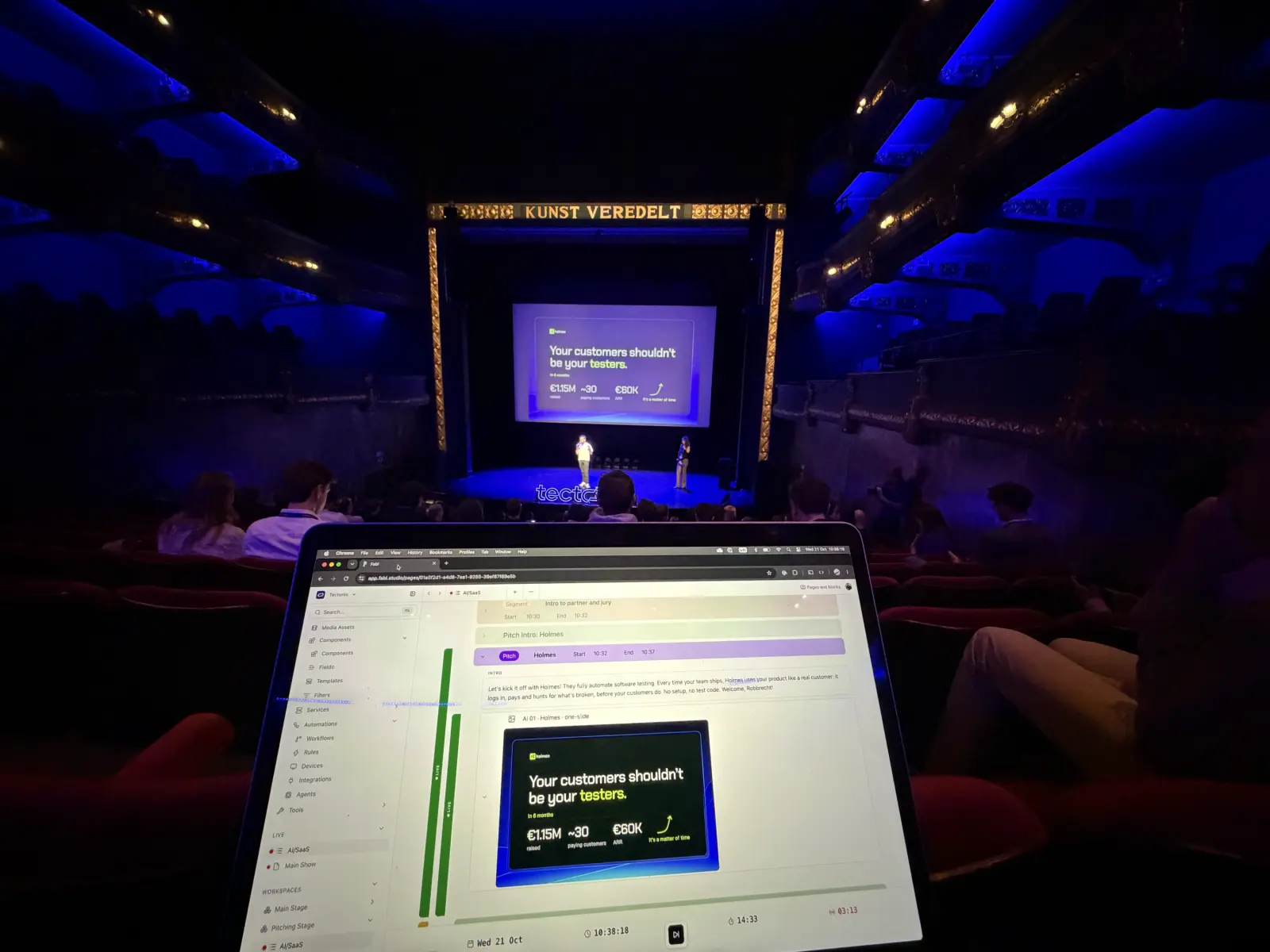 The Pitching Stage at De Vooruit during the AI/SaaS session: the pitch item on air in Studio Mode, and its one-slide on the stage screen.
Collaboration is key
Automation only works when everyone plans together. A rule fires on the item in front of it, so the running order, tags and content have to be right before the show starts. That is a shared job.
At Tectonic, the producer, the technical crew on each stage and the content and host side worked from the same shared rundowns in Fabl. The host's intro scripts and the startups' one-slides lived in the pitch items, so the people preparing content and the people running the room were looking at the same thing.
During the show, Studio Mode gave everyone the same view: which item was on air, which was cued next, and the show clock and item timer. Nobody had to ask where the show was.
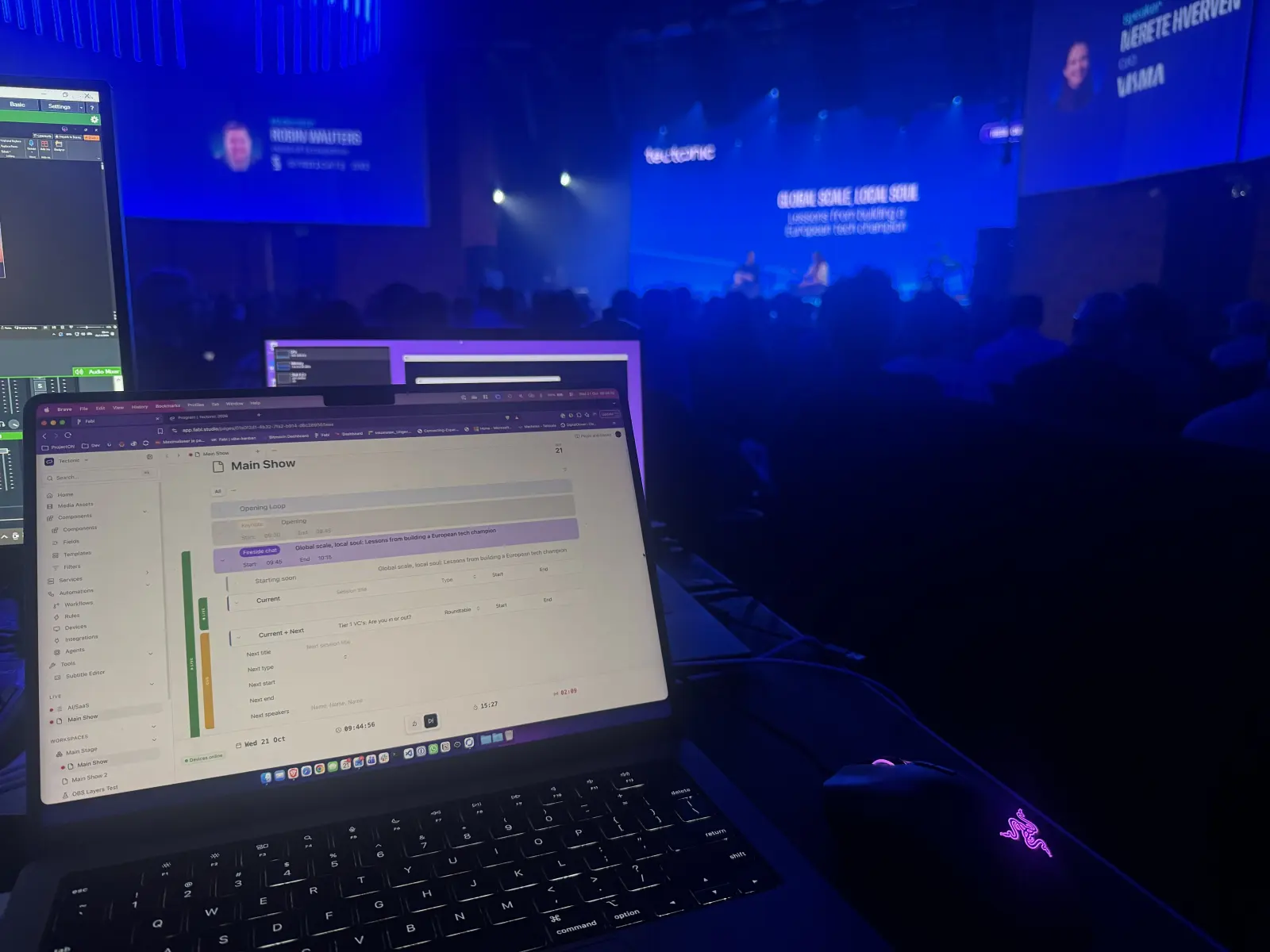 The Main Stage production desk during the first fireside chat, with the Main Show rundown in Studio Mode.
Why it matters: keep the tools, connect the handoffs
Nothing on either stage was replaced. The crews used their tools the way they already do, alongside the venue's own projection and LED wall. Fabl added a control layer on top: shared rundowns in the cloud and Fabl Studio Agent executing commands on the local network.
That matters for events, where setups change from venue to venue and stage to stage. With rundown events as the trigger, the same way of working fits an all-day Main Stage rundown and three short pitching rundowns. The setup changes, the method does not.
Tools with a dedicated Fabl integration, like vMix, TouchDesigner and Stagetimer, come with documented actions. For others, like OSCPoint, Generic OSC bridges the gap. Check your tools against our integrations. For more on this approach, read Studio automation without replacing your stack.
Planning your next event?
See how Fabl works for events and live experiences, or request a walkthrough and show us the setup you want to run from your rundowns.